 by CEF
 Getting started · Chapter 2
From purchase to your panel account
The service from start to finish: what arrives after the purchase, how to set up your panel account and where your license keys are kept.
Choose a plan and pay
On the Pricing page, choose a plan (30-day demo, Prime, or Enterprise monthly, yearly or perpetual) and pay by card. No account is needed beforehand: the purchase creates it with the e-mail address you enter at checkout. That address is your panel username.
Receive your license key
Within seconds you receive an e-mail from Stream Gateway ([email protected]): Your license key is ready.
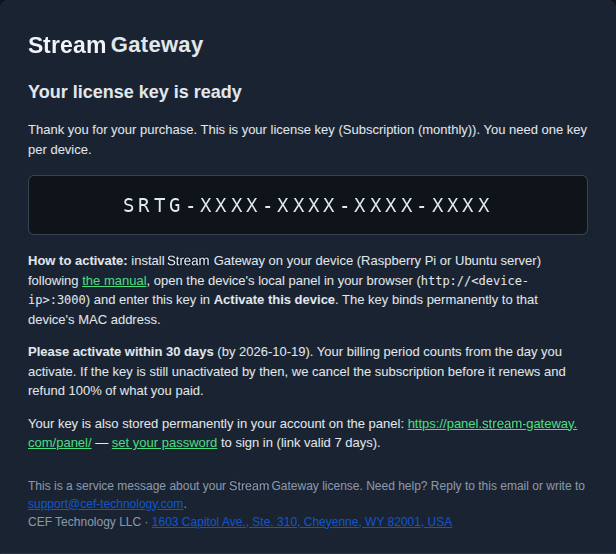
- The key, of the form
SRTG-XXXX-XXXX-XXXX-XXXX. One key per device. - The installation command for each device and how to activate the key (step 6).
- The deadline: activate within 30 days of the purchase.
- On your first purchase, a set your password link for your panel account, valid for 7 days.
Check the spam folder. Once you are in the panel, Resend key sends it again.
Buy them with the same e-mail address: every new key and device joins the same account, and you manage them all in the panel. The free demo is limited to one per e-mail address.
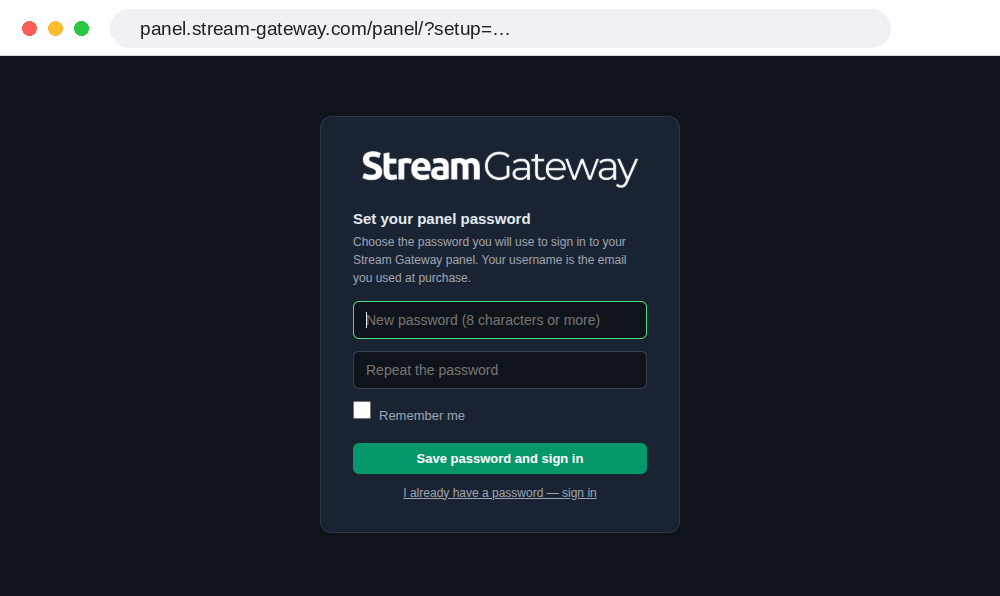
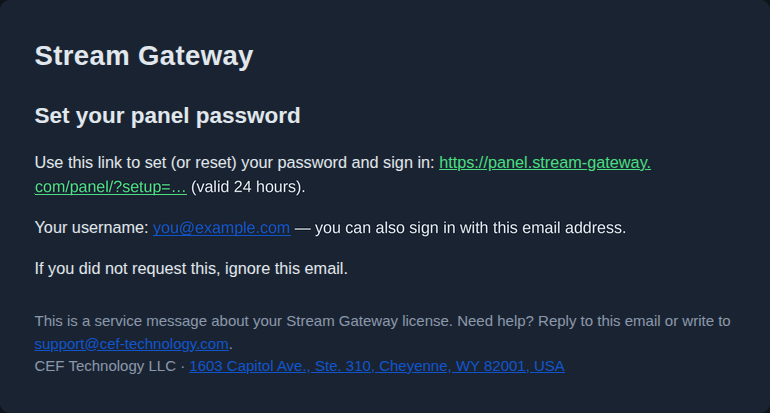
Set your panel password
Open the set your password link. Choose a password of 8 characters or more, repeat it and press Save password and sign in.
Your panel
The panel is at panel.stream-gateway.com/panel. It shows your devices and your licenses.
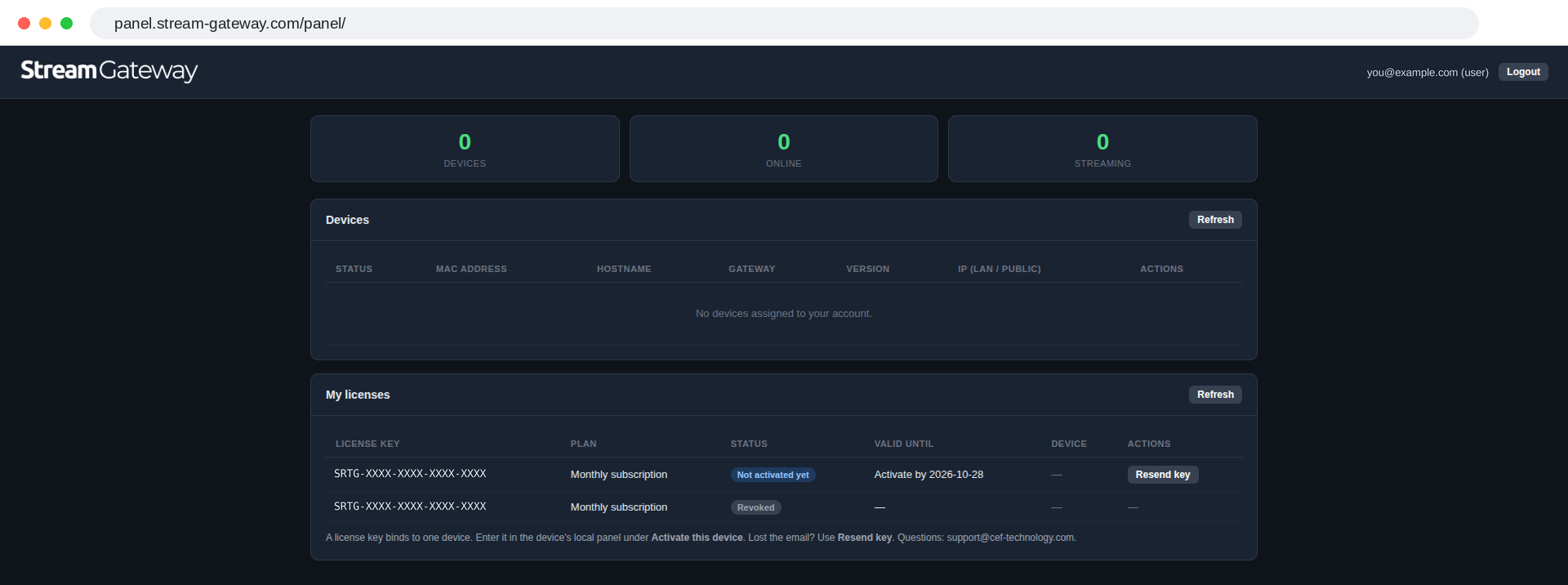
- Devices, Online, Streaming: how many devices you have, how many are connected and how many are delivering.
- Devices: each device activated with one of your keys. It is empty until the first activation.
- My licenses: each key with its plan, its status and its date. Before activation the status is Not activated yet and the date is the activation deadline. Resend key sends the key e-mail again.
Sign in again
Next time, open the panel and sign in with your e-mail address and your password.
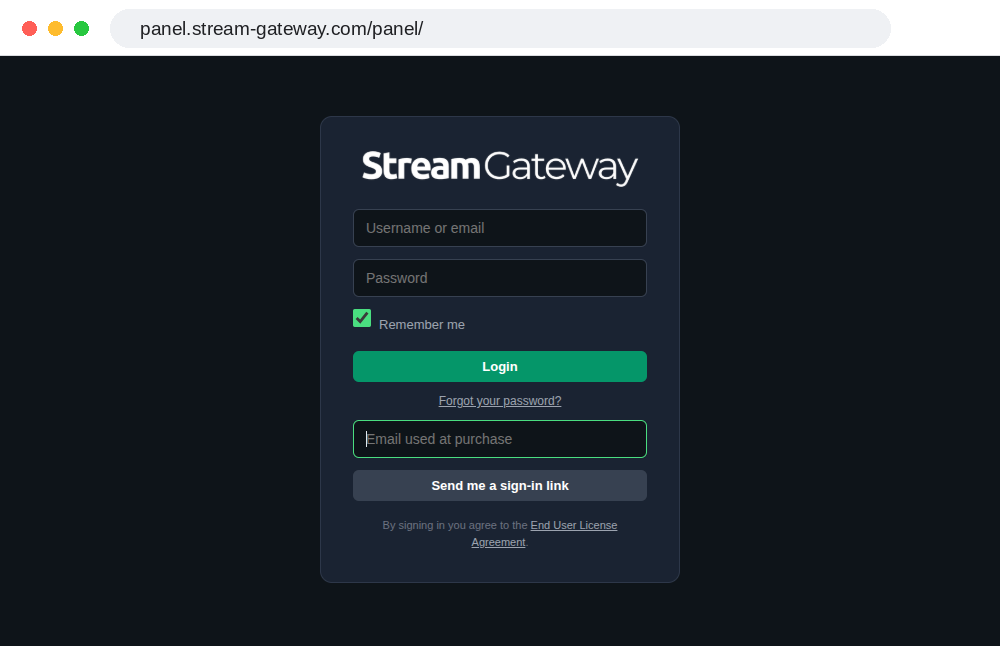
If you forget the password, press Forgot your password?, enter the e-mail address used at purchase and press Send me a sign-in link. You receive an e-mail with a link to set a new password, valid for 24 hours.
Install and activate the device
Install the device (chapters 3 to 8) and enter the key under Activate this device in its local panel (chapter 9). The key binds permanently to that device, and the device appears under Devices in your panel.
A subscription's month or year starts on the day of activation. The deadlines, and what happens if you do not activate, are in the Delivery Policy.